
Step 1:
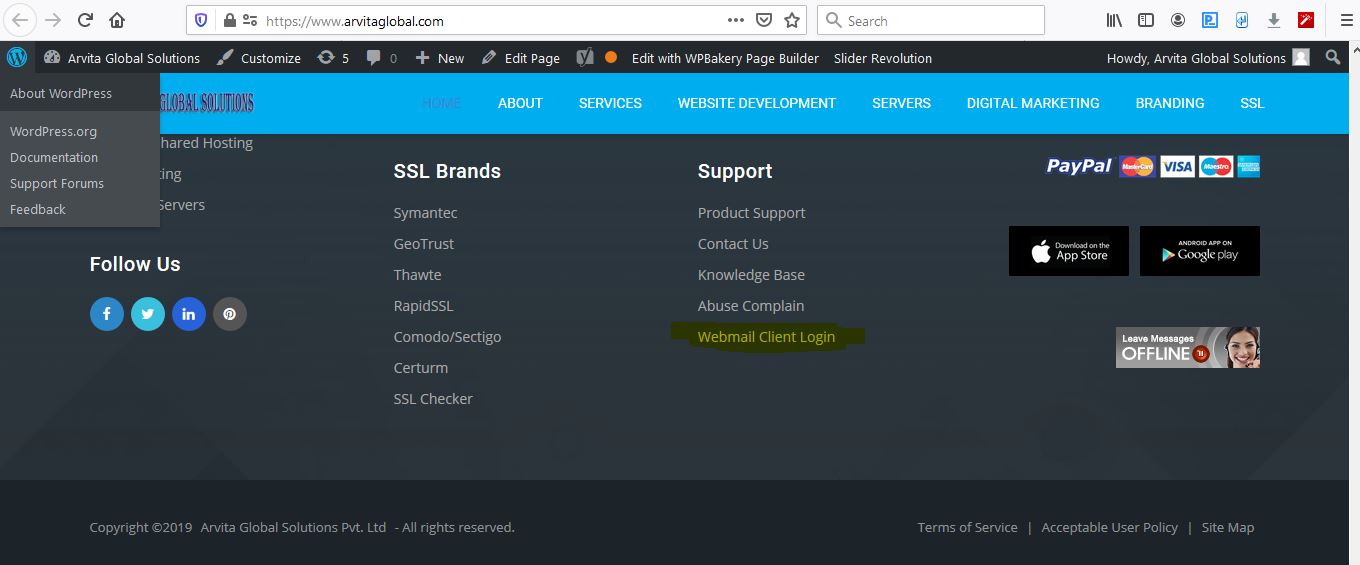
Open www.arvitaglobal.com and go to bottom of page and click Webmail Client Login
Step 2. Enter your email id and password
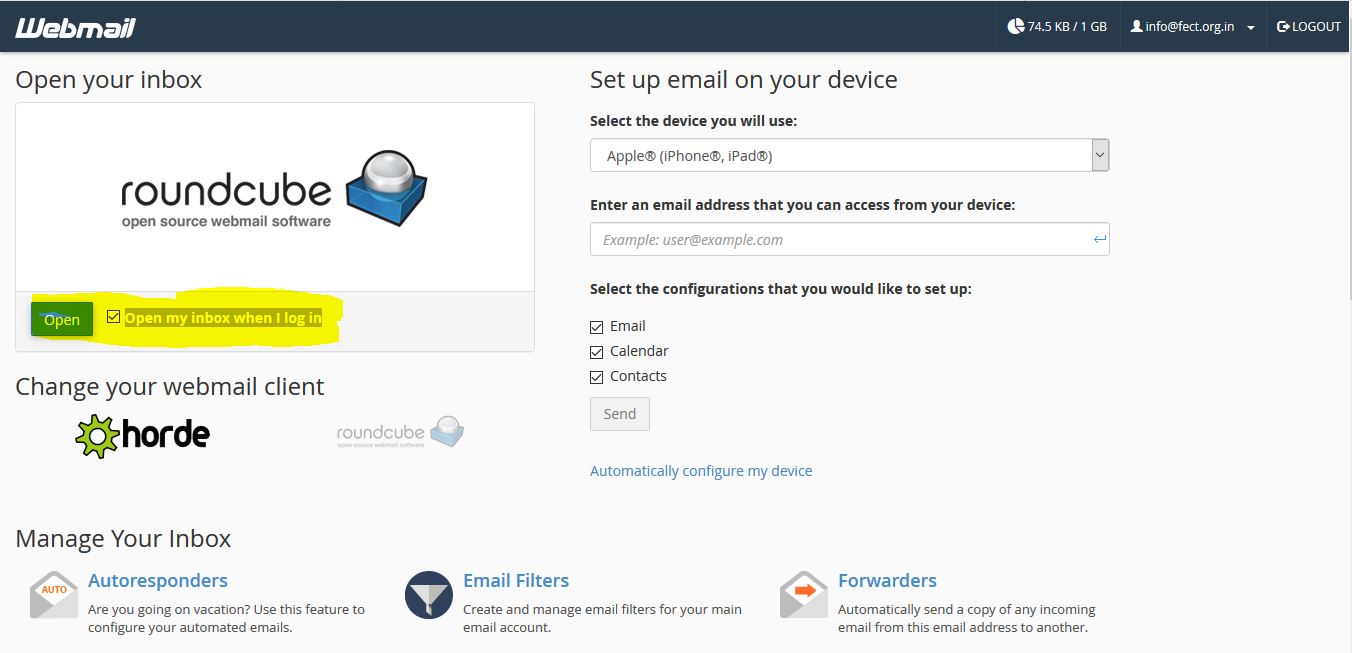
Tick it the checkbox "Open my inbox when I log in" and click open
Step 3: done
Note: If you attempt multiple times with wrong password then your webmail will block in our firewall and you need to create a support ticket to resolve .
Thank You
Support Team
Arvita Global Solutions Pvt Ltd
www.arvitaglobal.com